
Case · Radiation protection
Radiation shielding, calculated live in 2D and 3D.
For a consultancy that advises on radiation protection for X-ray and CT rooms, I built Rayshield Studio: a web application where you draw a room, place the device and immediately see how much radiation reaches the surrounding rooms, and how much lead is needed.
- Client
- Radiation protection consultancy
- Sector
- Radiation protection, X-ray and CT
- Product
- Rayshield Studio, web application
- Method
- NCRP 147
01 — The question
Shielding advice without spreadsheets.
Before a new X-ray or CT room is built, it has to be clear that the radiation in the rooms around it stays below the limit. That means working out, wall by wall, how much radiation gets through, for every room and every calculation point, and deciding how much extra lead is needed.
The client wanted that work in one tool: drawing, calculating and reporting in one place, with results that update the moment the design changes.
02 — Drawing
Draw the room, the dose follows.
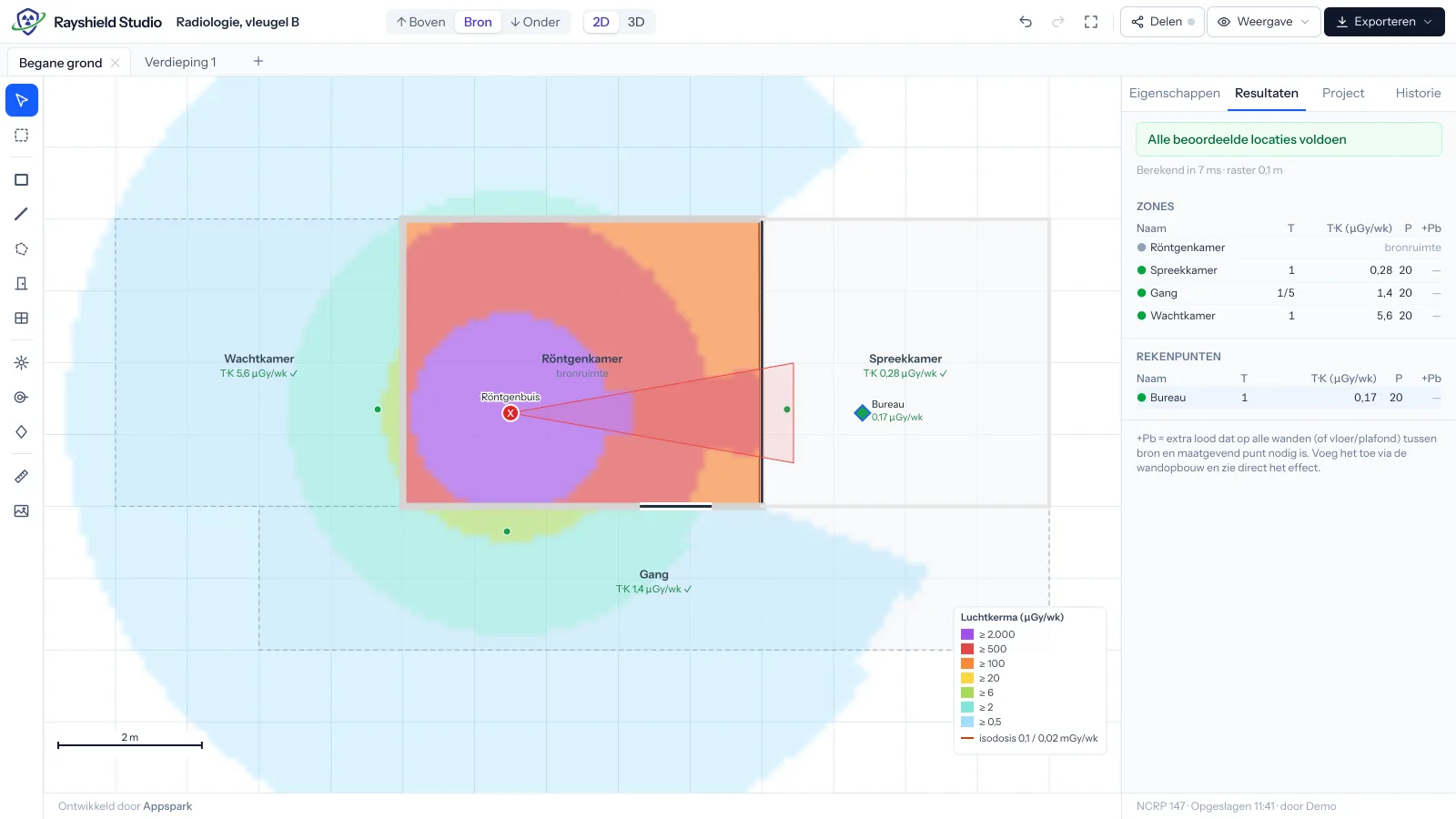
You place a floor plan underneath, draw rooms, walls, doors and windows on it, and position the X-ray tube or CT scanner. An air kerma heatmap appears across the whole plan. Drag the device and the heatmap recalculates straight away.
Every wall has its own build-up of layers, such as plasterboard, concrete or lead. For each room you set the occupancy factor and the design goal, and the results panel shows which rooms pass and how much lead the others still need.
03 — Calculation engine
Every result shows its calculation.
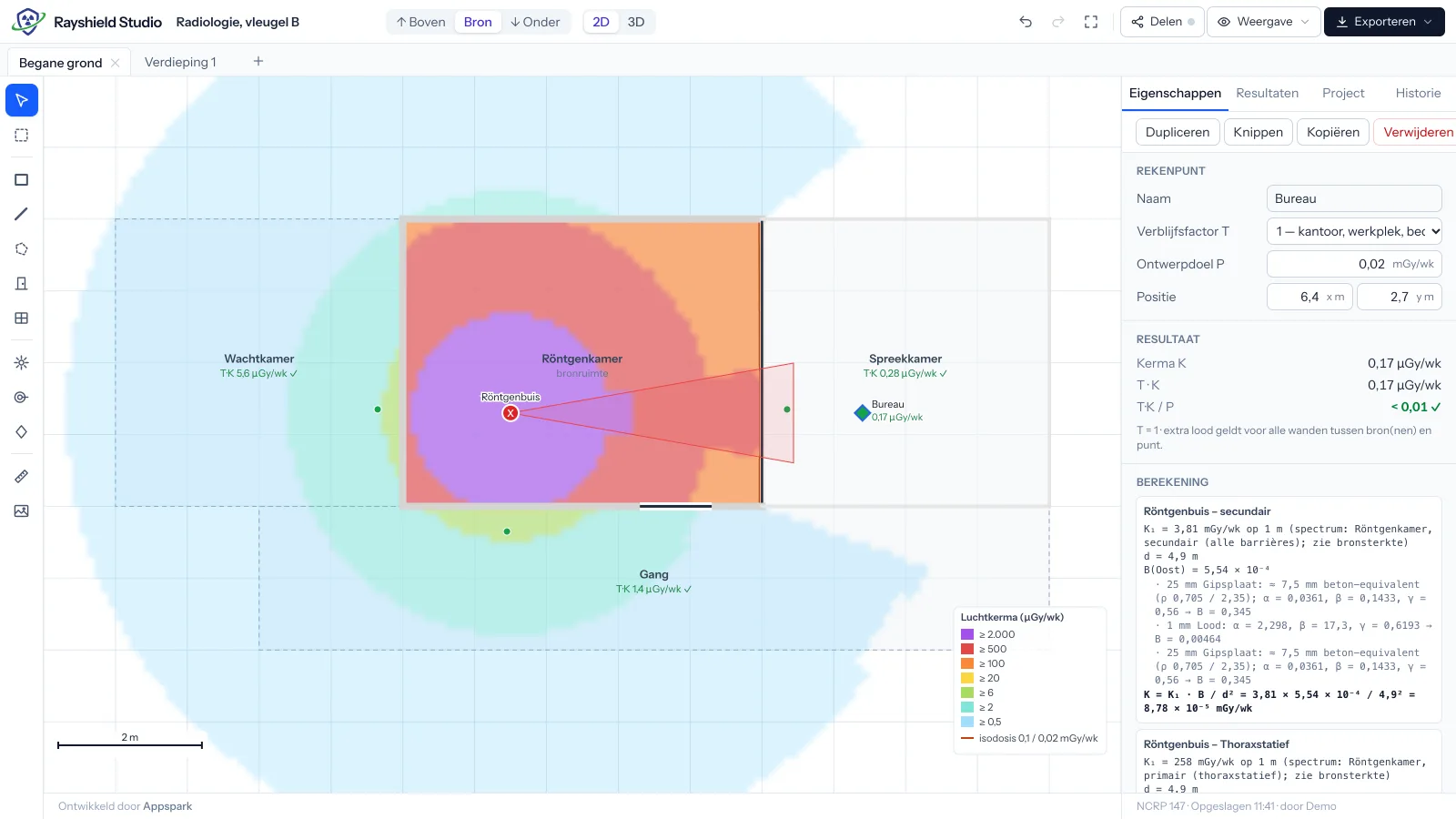
The calculation engine follows the NCRP 147 method. For each source and each wall, the transmission is calculated with the Archer equation, using material data and spectra the client manages in an admin panel. Floors above and below count too, through the build-up of floor and ceiling.
Click a calculation point and you see the full calculation: the source strength, the distance, the transmission per layer and the result. Every number can be checked and justified.
04 — CT scanners
CT scanners with the manufacturer's dimensions.
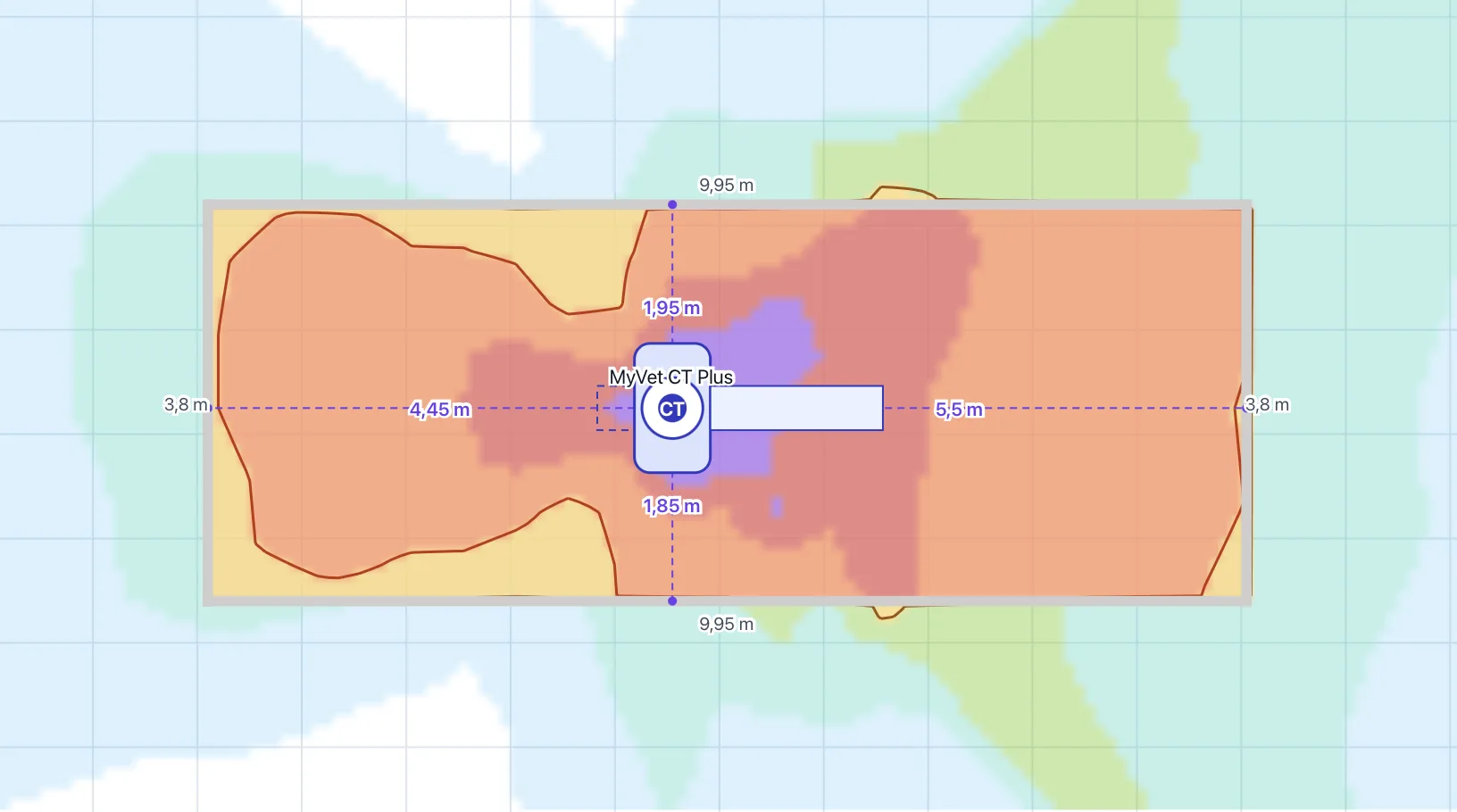
For CT scanners, the tool calculates with the radiation field and dimensions of the specific device, such as the MyVet CT Plus. Distances to the walls and the isodose lines appear directly in the drawing.
05 — 3D
Radiation in 3D, at true height.
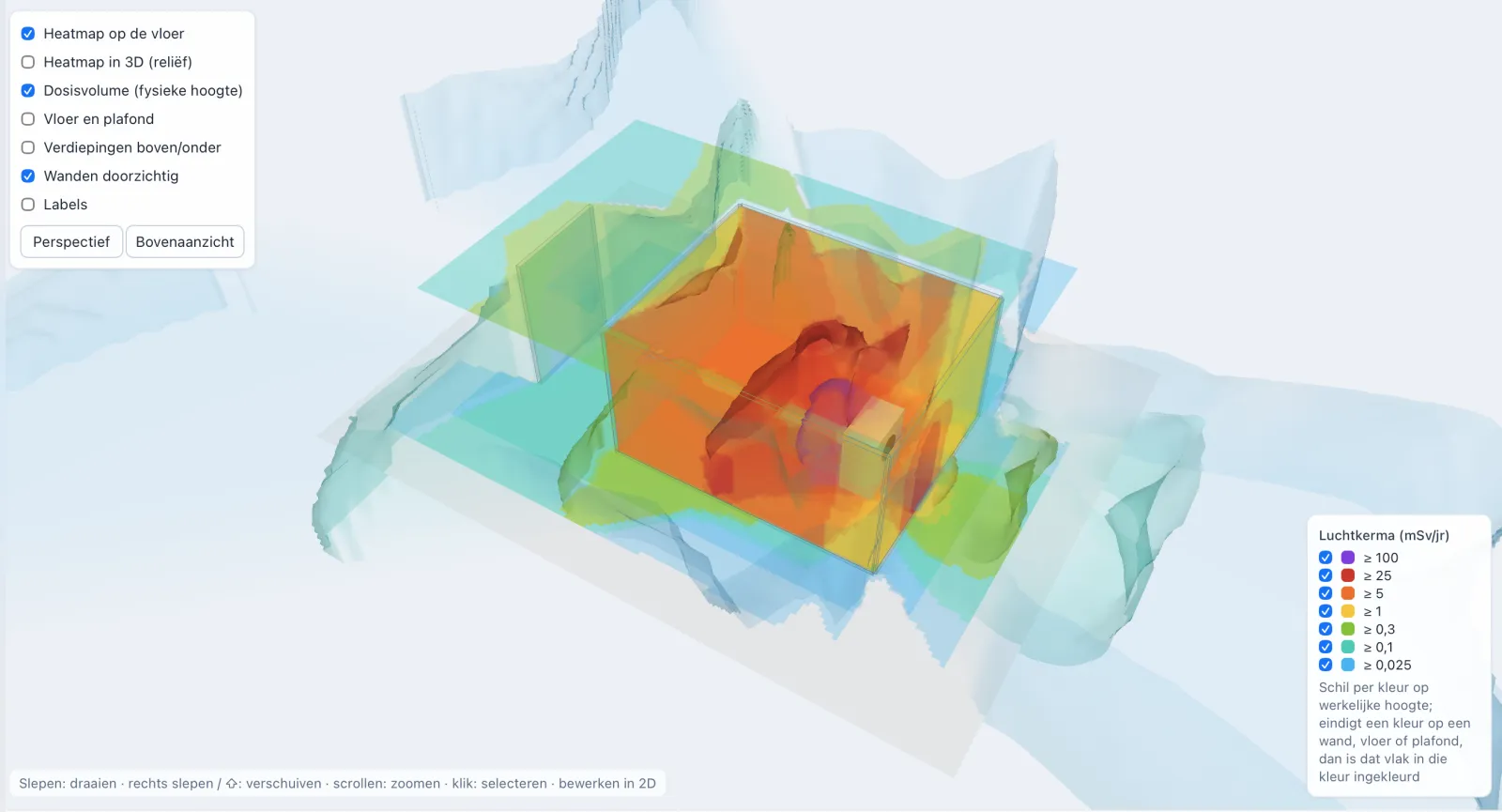
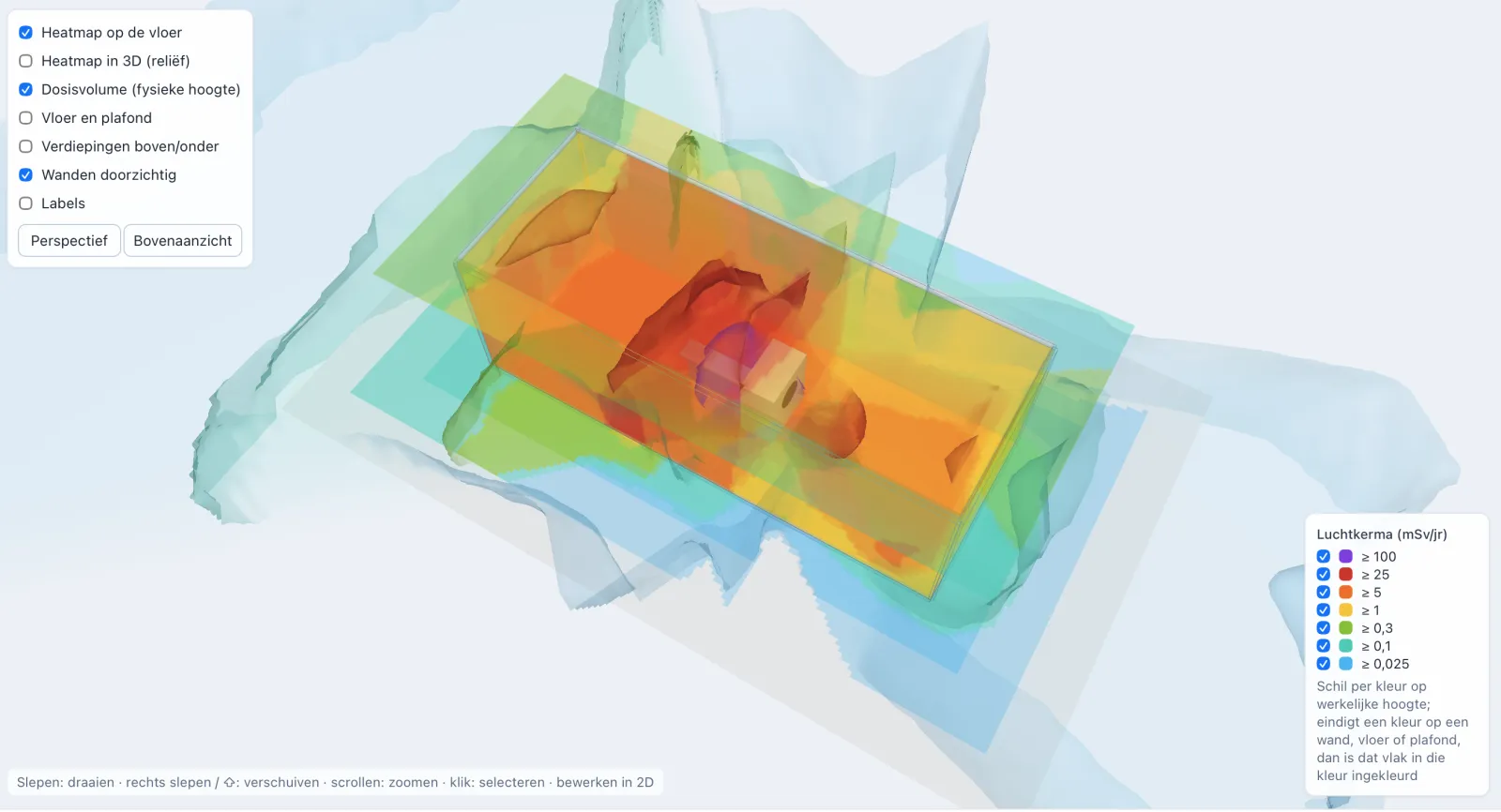
The 3D view shows the dose as shells per level, at their real height in the room. Where a colour ends on a wall, floor or ceiling, that surface takes on the colour. You can rotate, zoom and make walls transparent, and see at a glance where the radiation goes.
06 — Sharing & report
A viewing link for the client, a report for the file.
- A read-only viewing link, so the client can explore the design in 2D and 3D without an account.
- A PDF report with every calculation, ready for the file.
- Export as an image or a project file, and a full edit history.
- Multiple floors per project, so the rooms above and below are assessed as well.
07 — Stack
Built with.
- Laravel
- Filament
- Vue 3
- TypeScript
- Three.js
- Tailwind CSS
- PDF reports
08 — Contact
Got an idea or a project? Let's talk.
Tell me briefly what you want to build. I usually reply within one working day.
Robin Speerstra
Software developer